
Virtual Hair Color Try On
Compare blonde, brunette, copper, black, and creative hair-color directions in consistent photos. Use the visual differences to shortlist a shade family—not to predict a salon formula.


A useful virtual hair color comparison keeps the face, pose, crop, and lighting consistent while the hair direction changes. Start by comparing broad families—blonde, brunette, copper, black, and creative color—then describe what changed in depth, reflection, chroma, and contrast. A preview or quiz result is a starting point, not a guarantee.
Compare Hair Color Directions Before You Commit
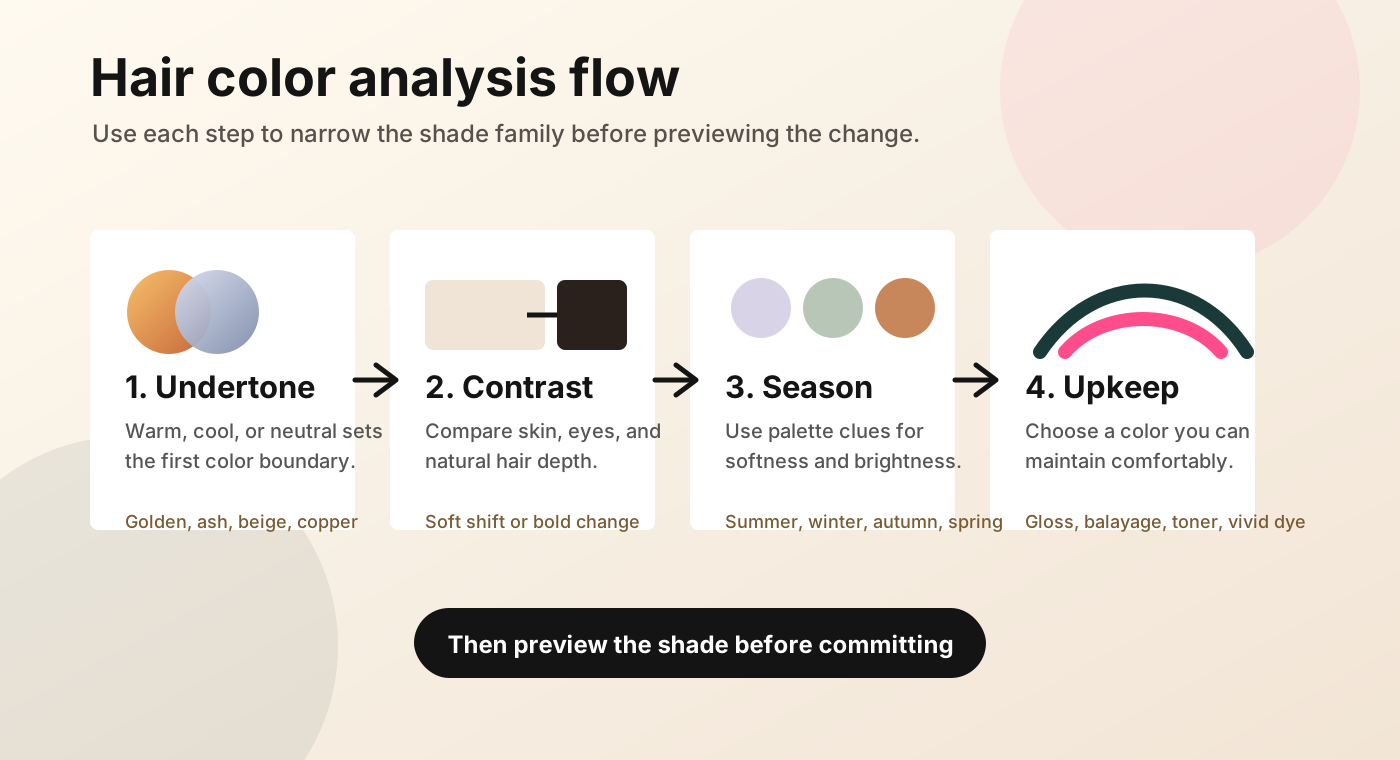

The most useful first pass is broad. Compare blonde with brunette, copper with soft black, or a full-color direction with highlights. Once one family feels clearer, use the result labels—depth shift, reflection, contrast, and placement—to describe what you want.
Interpret a Preview by Direction, Not Formula
A screen preview is strongest when you read it as a composition. Depth tells you whether the hair appears lighter or darker. Reflection describes the visible warm, cool, or neutral cast. Chroma is how muted or vivid that reflection appears. Contrast describes how strongly the new direction separates from the rest of the image.
Use photographs with the same starting depth and lighting while you compare. If the base, exposure, and shade all change at once, you cannot tell which variable created the difference. Place two references side by side and ask which change is actually useful: more depth, a warmer reflection, a quieter color block, or more visible separation.
| Result label | What you can observe | What it does not establish |
|---|---|---|
| Depth shift | Lighter, similar-depth, or deeper visual direction | Required lift or processing plan |
| Reflection | Beige, brown, copper, black, or violet cast | Exact toner or formula |
| Contrast | Low, moderate, or high change from the selected base | Whether the shade suits a diagnosed palette |
| Placement | Full-head direction or partial highlight direction | Sectioning, foil pattern, or salon technique |
Use those four labels to write one sentence about each reference. Keep the option whose sentence is closer to the change you actually want.
Compare the Main Options
Blonde usually creates the clearest lighter-direction test, while brunette lets you compare a reflective medium depth without introducing a vivid hue. Copper and red make warmth and chroma easier to see. Soft black tests a deeper, more continuous color block. Deep violet represents a creative direction, and highlights test partial lightness rather than a full-head shift.
These are families, not formulas. “Blonde” can still range from muted beige to brighter gold; “brunette” can move neutral, warm, or cool. Use the broad result to narrow the field to two options, then open the hair color levels and tones guide to describe their depth and reflection more precisely.
State Limits and Practical Constraints
The preview does not inspect hair fibers. It cannot see natural level, previous artificial pigment, banding, porosity, breakage, gray distribution, or how hair behaves during processing. Lighting and screen settings also change how a color appears. A lighter result therefore shows a visual direction, not proof that your current hair can reach it in one service—or at all.
The preview can compare
- broad lighter or deeper direction;
- warm, neutral, cool, or creative reflection;
- relative contrast;
- full color versus highlight placement.
Real hair determines
- how much lift is possible;
- how porous areas accept color;
- how old dye and gray hair respond;
- the safe process and final formula.
These editorial comparison photographs are part of the page; there is no photo-upload or personalized analysis feature here. If you use a photo-based hair color tester elsewhere, check its privacy and deletion terms before uploading. Before applying any dye, follow the current package directions and the manufacturer’s allergy alert or skin-test instructions; the FDA hair-dye guidance also explains why label directions and a skin test matter.
Route the Reader to the Next Best Page
Once you have two directions, route the unresolved part of the decision instead of asking the preview to answer everything.

Still choosing a direction?
Use the color-direction quiz to weigh natural base, contrast, preference, and upkeep. The quiz owns questionnaire-based guidance; this page owns visible preview comparison.
Unsure about contrast?
Open the hair color by contrast guide and compare a softer result with a more separated one at the same depth.
Need precise vocabulary?
Use the levels and tones guide to name depth and reflection without turning a reference image into a formula.
Need the wider framework?
Return to the hair color analysis hub for the site’s separate guides. It owns the broad analysis journey beyond this visual comparison.
Before a consultation, save two reference directions and write down your current color, every recent dye or lightening service you remember, your gray-coverage goal, and your maintenance limit. Ask a licensed colorist which reference is feasible from your real base and what strand testing or staged work may be appropriate. That turns a hair dye preview into a useful brief without treating screen color as a promise.
Frequently Asked Questions
Can I try hair color on my photo?
This page does not upload or analyze your photo. It uses controlled editorial photographs to compare broad shade direction, depth, contrast, and placement without implying that it has evaluated your face or hair.
Is virtual hair color try on accurate?
It can be useful for comparing visible direction under consistent settings. It is not an accuracy test for a salon result. Camera color, screen settings, natural base, porosity, previous dye, gray distribution, and processing all sit outside this preview.
Can it predict blonde lift or gray coverage?
No. A blonde preview can show whether you want a lighter visual direction, but it cannot determine how much lift your hair can tolerate or achieve. It also cannot predict gray coverage, tonal durability, or a product formula.
Is my photo stored?
No photo is collected because the page has no upload control, account, or saved-result feature. The images shown here are editorial comparison photographs supplied with the article.
What should I do with the preview?
Pin two clearly different directions, describe each by depth, reflection, contrast, and placement, and keep the more useful pair. Bring those references plus your complete color history and maintenance limit to a licensed colorist for a feasibility discussion.